Hand over the website,
and how to run it
Record each job once in your client’s site admin, on your Mac. Foxstep turns it into a step-by-step guide with screenshots that they keep.
First complete guide free · No card or deadline · 30-day money-back guarantee
For Apple silicon Macs, macOS 14 or later.
The guide your client gets.
This one shows a client adding a product to a demo shop. Click Next to follow it, as they would.
Every guide also exports as a PDF and a single web page. Your client opens them without Foxstep or an account.
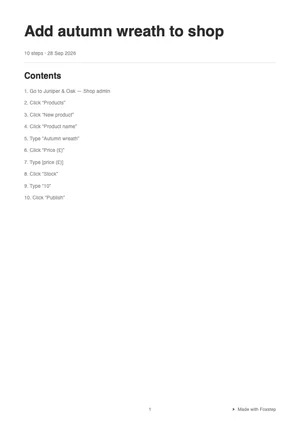
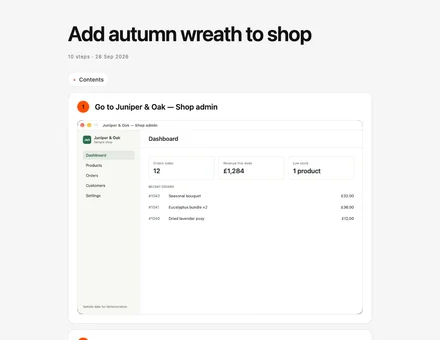
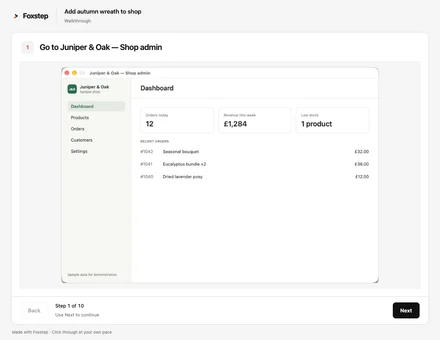
That’s the real walkthrough file: click Next to follow it. If your client’s email blocks HTML attachments, send the PDF.
Three weeks later, your client needs to add a product.
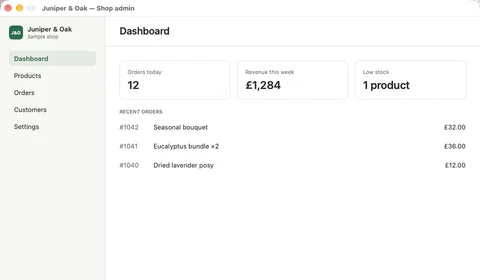
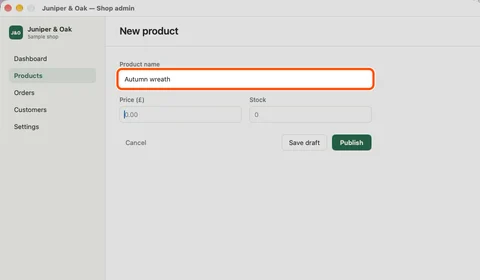
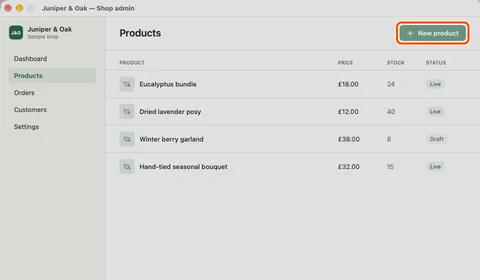
Which bit of the video shows the price again?
7Type “45.00”
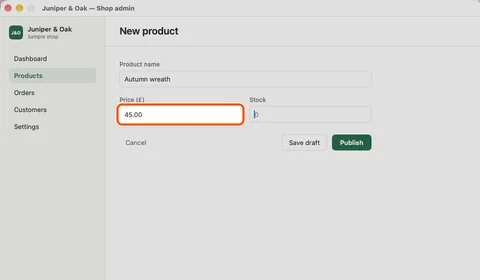
They find step 7 without asking you.
Record the answer once.
The next time you do a job in a client’s site, record it. Send the guide instead of booking another call.
WordPress
- Add a blog post
- Update a page
- Change the menu
Shopify
- Add a product
- Create a discount code
- Change shipping rates
Squarespace
- Edit opening hours
- Swap a banner image
- Add a blog post
Foxstep records what you do on your Mac, including in your browser, so there’s nothing to install on your client’s site.
Your studio’s name on it.
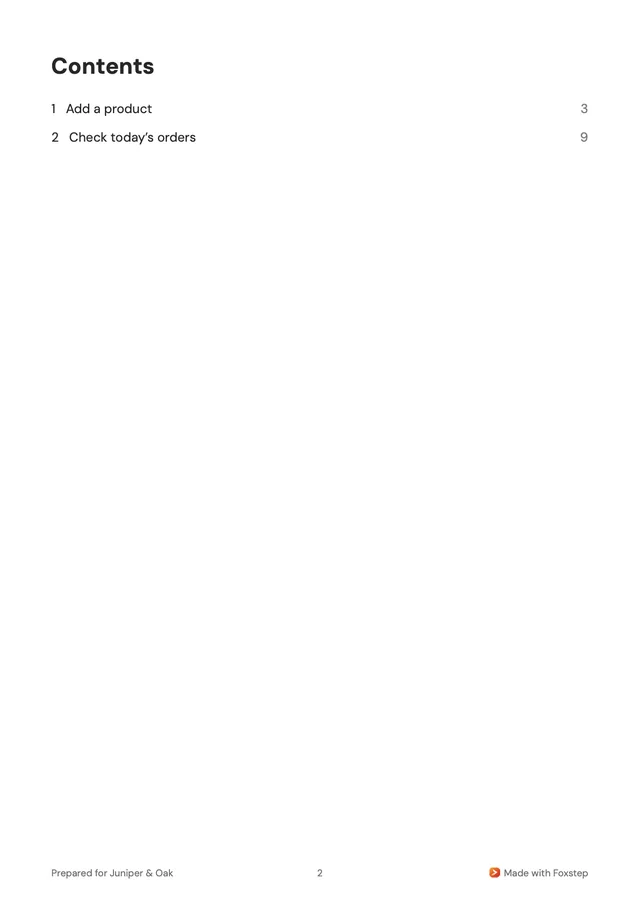
Add your logo, a “prepared by” line and a footer once in Settings. A handover pack puts several guides in one PDF, web page or walkthrough, with your cover and a contents page.
With a licence, you can also turn off “Made with Foxstep”.
One licence, every client.
Make as many guides as your clients need, for £149 once. Scribe and Tango charge by the month or the year.
If Foxstep isn’t right for you, email info@foxstep.io within 30 days of buying for a full refund. Businesses included.
 Foxstep for Mac licence
£149, once.
One person. Unlimited local guides, the Mac app, tools for your own agent and 1,000 AI credits, including UK VAT. Keep your versions, with 12 months of updates. Your own agent’s AI is billed by your provider.
Before you start
- Does my client need Foxstep?
- No. They open a PDF or a web page, without Foxstep or an account.
- Does it work with WordPress, Shopify or Squarespace?
- Yes. It records what you do in your browser on your Mac, so there’s nothing to install on the site.
- What about my client’s details in screenshots?
- Foxstep scans guide text and screenshots on your Mac and suggests what to hide. Check every screenshot before you send it, because suggestions can miss things. Foxstep never reads password fields.
- Can I charge for the guides?
- Yes. You own the guides you make and can deliver them as part of paid work.
- Which Macs does it run on?
- Macs with Apple silicon, on macOS 14 or later.
- What does the free guide include?
- One complete guide, with retries, editing and exports, plus 200 AI credits to try. No card or deadline.

Try it on your next site handover.
Get early accessFirst complete guide free · No card or deadline · 30-day money-back guarantee
For Apple silicon Macs, macOS 14 or laterRelease notes