Your team's best processes shouldn't live in someone's head
A Chrome extension that captures your workflow as you do it — every click, every page — and turns it into a polished guide with annotated screenshots. Automatically.
Documentation shouldn't
be this hard
Knowledge walks out the door
Your best people's processes live in their heads. When they're busy, everyone waits. When they leave, the knowledge goes with them.
The same question, every single day
"How do I submit an expense report?" "Where's the onboarding checklist?" You've answered it before. You'll answer it again tomorrow.
Guides that are wrong by Tuesday
You spent three hours writing that SOP. The software updated. The screenshots are wrong. Nobody trusts it anymore.
Record once.
Never explain it again.
Turn it on and do your work
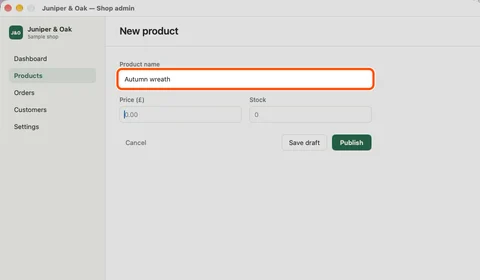
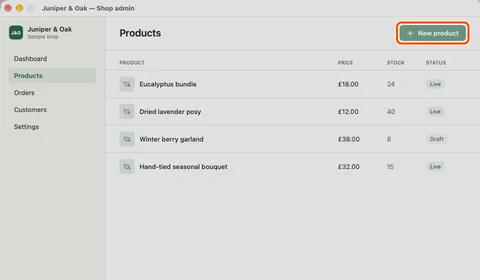
Install the Chrome extension. Click record. Then just work normally — Foxstep silently captures every click, every page, every form field.
Foxstep writes the guide
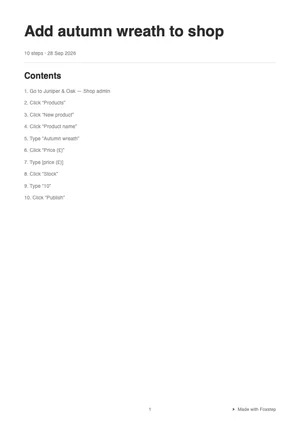
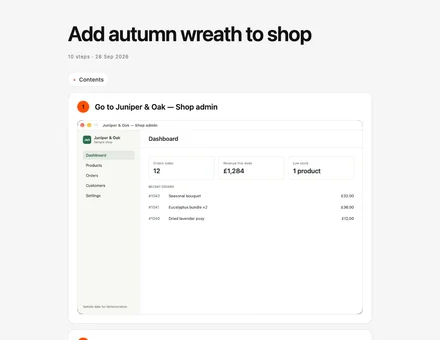
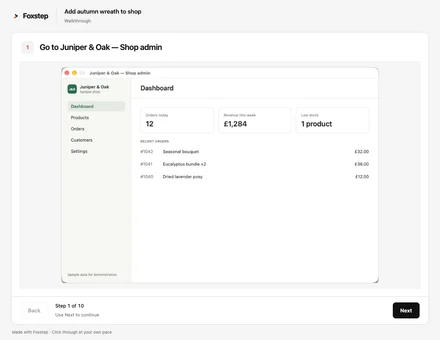
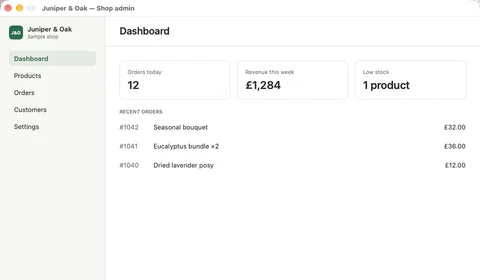
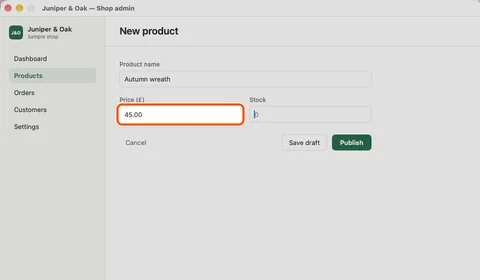
Foxstep assembles a clean, numbered document with written instructions and annotated screenshots. Every step captured. Every click highlighted.
Share it and move on
Send a link. Embed it in Notion or Confluence. Export a PDF. The next time someone asks "how do I do this?" — you already have the answer.
Capture. Edit. Share.
All in one place.
Invisible recording, visible results
Click record and work through any process. Foxstep runs silently in the background — no pop-ups, no interruptions. When you stop, your guide is ready.
- Captures clicks, navigation, and form entries
- Annotates screenshots with highlighted elements
- Works on any web application
Your guide, your voice
Every guide is fully editable. Rewrite any text, reorder steps, blur sensitive information, and apply your brand colours and logo.
- Edit any step's text and screenshots
- Automatic PII detection and blur
- Custom branding, colours, and logo
Everywhere your team already works
One-click sharing to Notion, Confluence, Slack, or any knowledge base. Embed guides in help centres. Export as PDF or share a link.
- Embed in Notion, Confluence, Slack, and more
- Interactive on-screen walkthroughs
- Export as PDF, HTML, or shareable link
This is a Foxstep guide
Record any workflow. Get something like this — automatically, in seconds.
How to Submit an Expense Report
Navigate to Finance → Expense Reports in the main sidebar
Click the "New Report" button in the top toolbar
Fill in the expense details and attach your receipt
The people who keep
things running
If you've ever thought "I should really write this down" — Foxstep is for you.
Operations teams
Turn every process into a playbook your whole team can follow — from procurement to incident response.
IT & support
Build a help centre that actually answers the question. Stop fielding the same tickets over and over.
HR & training
Onboard new hires with real guides, not a folder of outdated PDFs. Get people productive in days, not weeks.
Customer success
Create walkthroughs your customers can follow without calling support. Self-serve help that actually helps.
Your data. Your rules.
Encrypted, always
Screenshots and guide data are encrypted in transit and at rest. Your process knowledge stays yours.
Automatic PII redaction
Foxstep detects and blurs sensitive information — names, emails, account numbers — in screenshots before anyone sees them.
Enterprise-ready controls
SSO, role-based access, and audit logging. Built for teams that take security seriously.
Common questions
What exactly is Foxstep?
Foxstep is a Chrome extension that watches you work and writes the documentation for you. Click record, complete any workflow, and Foxstep generates a step-by-step guide with annotated screenshots — automatically. No manual writing, no screenshot cropping, no formatting.
How is this different from Scribe or Loom?
Loom records video — useful but hard to scan or update. Scribe captures steps but often needs heavy editing. Foxstep generates structured, editable documents with clear instructions and precisely annotated screenshots. The output is a guide, not a recording.
Is Foxstep free?
Early access is free — including unlimited guide creation. Pro plans with team workspaces, custom branding, integrations, and advanced analytics are coming soon.
What about sensitive data in screenshots?
Foxstep includes automatic PII redaction that detects and blurs sensitive information — names, emails, account numbers, passwords — in every screenshot before it's stored or shared. You can also manually blur any region.
How long does it take to get started?
Under two minutes. Install the Chrome extension, click record, and complete any process. Your first guide is ready when you stop recording. No setup, no configuration, no training required.
Ready to stop explaining?
Create your first guide in under a minute. Free, no credit card required.