Record a task. Share the guide.
Foxstep captures the steps and screenshots. You edit what your client sees.
Record across Mac apps
Start recording and work as usual.
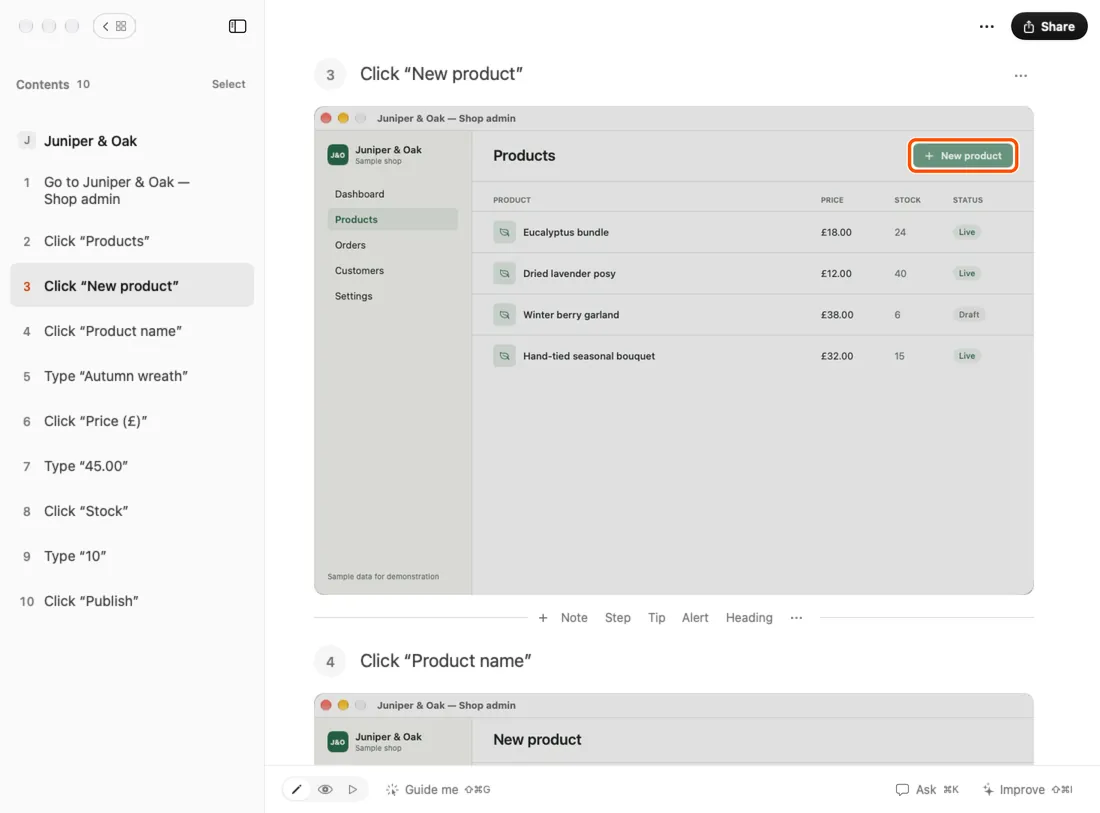
Clicks, key presses, typing and app switches become numbered steps with instructions such as Click “Save”, Press Return or Go to TextEdit. Each screenshot shows the whole screen with a ring around the target, or just the window you clicked in when you record only the app you’re in.
A floating panel shows each step and screenshot as it arrives. Pause, delete the last step or stop from there.
Secure password fields are excluded from typed-text capture. You can switch typed text off in Settings, or edit and delete captured steps.
Edit before sharing
The recording opens as a guide you can reshape.
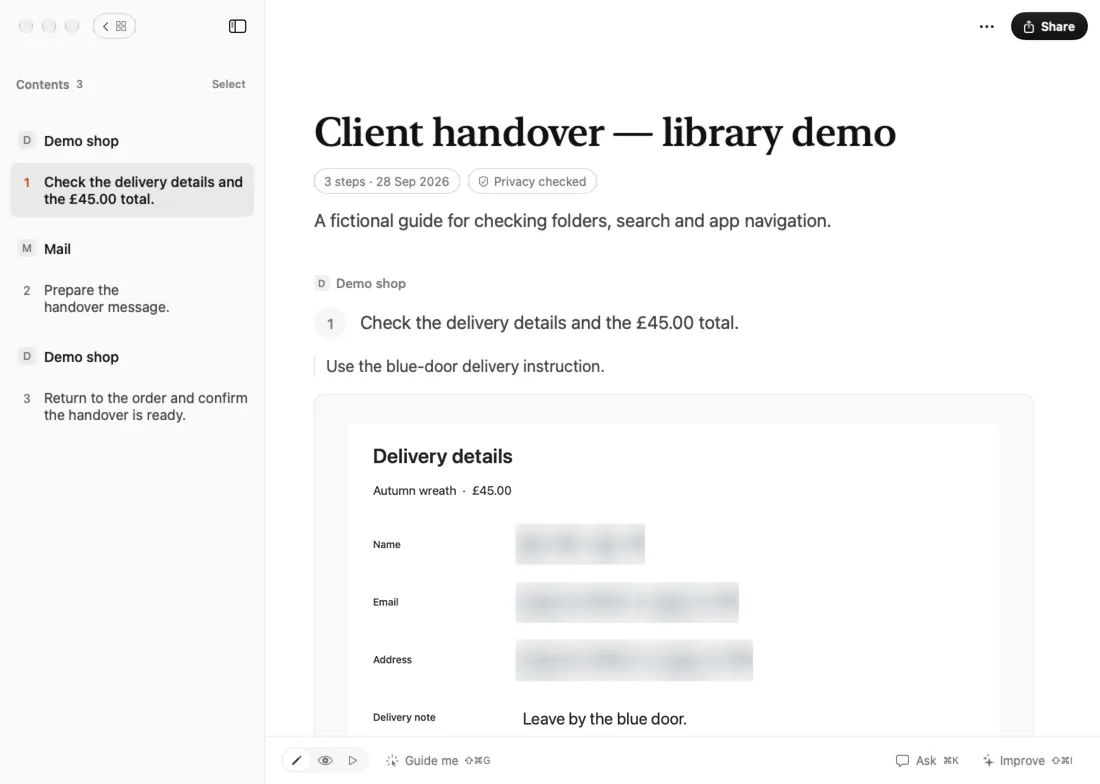
Edit the title, introduction, instructions and notes. Reorder, hide or delete steps; add headings, tips and alerts. Undo and redo are available.
Crop screenshots and add arrows, shapes, text or numbered markers. Review suggested text redactions and soft screenshot masks; adjust them or redact by hand.
On Macs with Apple Intelligence and macOS 26 or later, get writing suggestions on your Mac and choose what to apply.
Export a finished guide
Your client needs no Foxstep account or app.
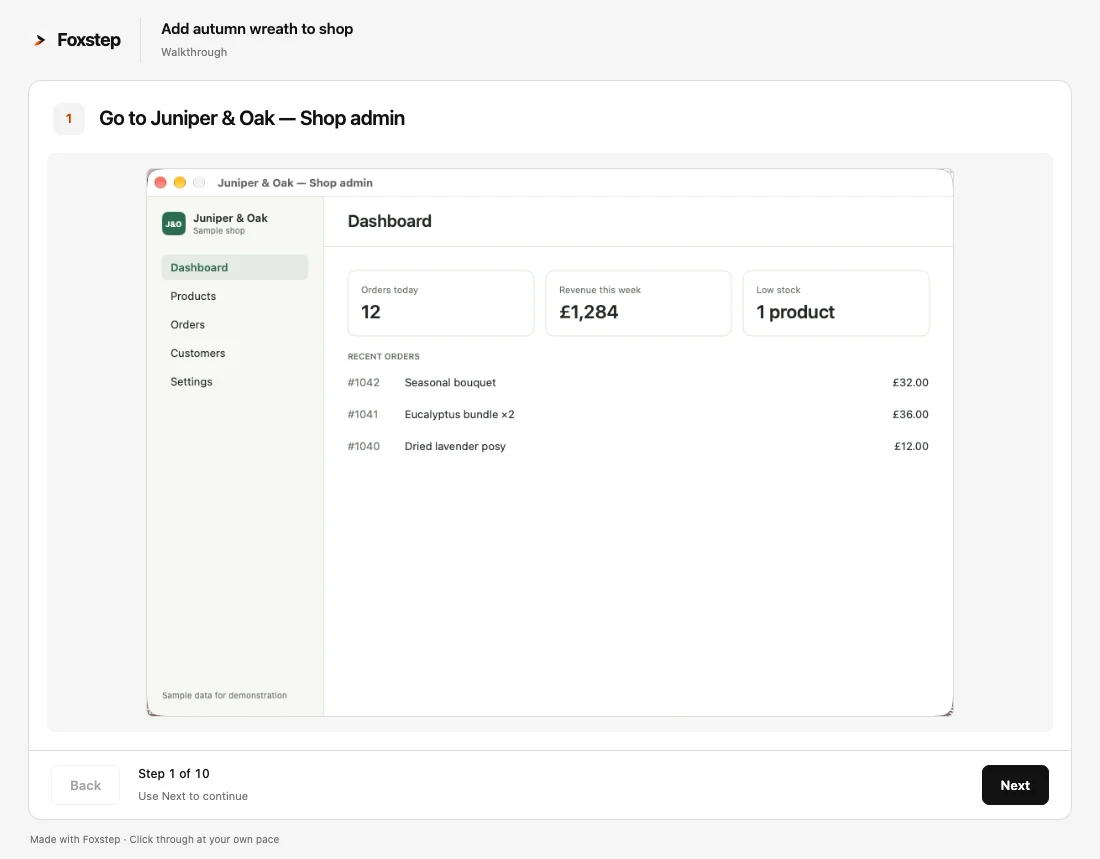
- PDF for reading, printing or email.
- Word: an editable document with its screenshots.
- Web page: one self-contained HTML file with its screenshots built in.
- Walkthrough: an interactive HTML file, one screenshot at a time.
Exports contain what the guide shows. You choose where they go. Clients read the finished files; make changes in Foxstep and export again. Clients who’d usually get a video can click through the walkthrough instead, one step at a time, at their own pace. If email blocks an HTML attachment, send the PDF.
Let your agent read your guides
The Mac app includes a local MCP connection for searching reviewed saved guides, reading their steps and viewing screenshots.
How do I add a product to the shop?
 From Foxstep: Add autumn wreath to shop · 10 steps
- Go to Juniper & Oak — Shop admin
- Click “Products”
- Click “New product”
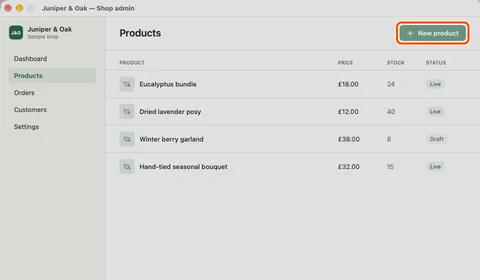
Then enter the name, price and stock, and click Publish.
In Foxstep, open Settings → Assistant connection, select Connect… and choose your assistant. The helper is included in the Mac app; no separate Node or Python installation is needed. How to connect your AI
Only saved guides with a current privacy review are available through this connection. Editing or undoing a guide means reviewing it again.
You can also export a guide as an AI skill: a SKILL.md file and its screenshots, for your agent to follow.
Use your own agent and model account at your provider’s cost. The MCP connection and AI skill exports use no Foxstep AI credits. Agent tools included in the £149 licence
Your assistant may send the content it reads to its own provider. Its data settings and terms apply. Privacy details
Permissions and privacy
macOS asks you to allow two things before the first recording.
- Screen Recording
- Takes a screenshot for each step.
- Accessibility
- Follows your clicks and typing, and reads the name of the button or menu you click, so a step can say Click “Save”. Secure password fields are excluded from typed-text capture, and typed text can be switched off.
Your guides stay on your Mac. Privacy checks run locally; review the text and screenshots for anything they missed before sharing.
When enabled, cloud AI sends the guides your question is about to Google’s AI in the EU, leaving out anything the privacy check flags. Cloud writing suggestions use only the screenshots you choose to include. Privacy policy
What’s not included
A Windows desktop app, browser extension, web app, cloud storage, hosted share links, team libraries, collaboration or a hosted agent.
Local cleanup is included where Apple Intelligence is available on macOS 26 or later. Your purchase includes 1,000 AI credits. Add 1,000 more for £10 when you need them. No subscription, automatic recharge or expiry. AI details and rates